
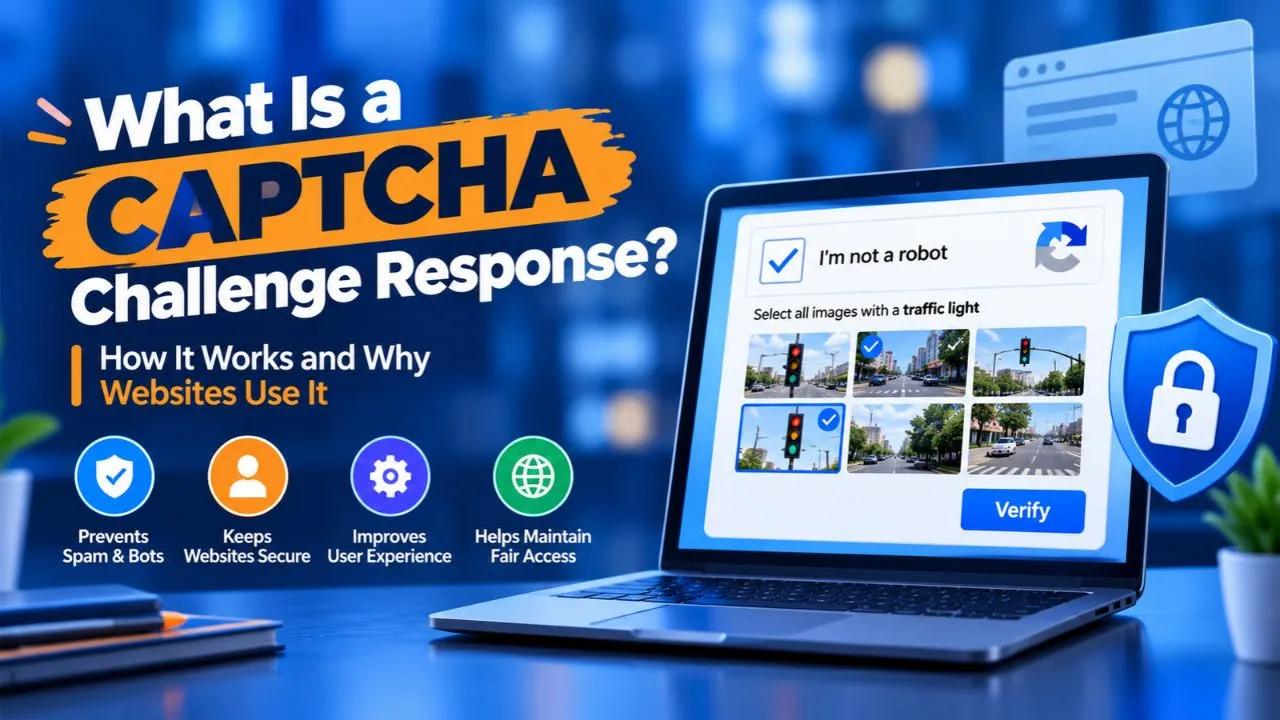
Have you ever been asked to select traffic lights, type distorted letters, or click an “I’m not a robot” checkbox while browsing a website? These security checks are known as CAPTCHAs. But what happens after you complete one?
A CAPTCHA challenge response is the answer or verification result generated during a CAPTCHA check. Websites use this information to determine whether a request appears legitimate before allowing actions such as submitting a form, creating an account, or accessing a protected service.
Understanding how CAPTCHA works can help you troubleshoot verification errors and understand how websites protect themselves against automated abuse.
What Is a CAPTCHA?
CAPTCHA stands for Completely Automated Public Turing test to tell Computers and Humans Apart. It is a security mechanism designed to help websites distinguish human visitors from automated programs, commonly called bots.
A CAPTCHA typically presents a task that is relatively easy for people but intended to be difficult or costly for automated systems to complete reliably. Traditional examples include distorted text and image-selection puzzles. Modern systems may also analyze browser behavior or other risk signals without displaying a visible puzzle.
Websites use CAPTCHA protection on login pages, registration forms, contact forms, online stores, and other areas that may attract automated activity.
For example, a website might require CAPTCHA verification before accepting a registration request to reduce fake accounts. The check adds another layer of protection, although it cannot guarantee that every visitor is human.
What Is a CAPTCHA Challenge Response?
A CAPTCHA challenge response refers to the information produced when a CAPTCHA verification process is completed. Depending on the system, this may mean the user’s answer, a response token, or the verification result returned by the CAPTCHA service.
To understand the terminology, consider these three components:
- CAPTCHA challenge: The test or security check presented to the visitor.
- CAPTCHA response: The answer or technical result generated during the verification process.
- Response token: A temporary value that a website can submit to the CAPTCHA provider for validation.
For example, suppose a website asks you to select every image containing a bicycle. Selecting the correct images completes the visible challenge. The CAPTCHA service may then generate a response token that the website’s server verifies before accepting your form.
Therefore, the response token is not necessarily the same as the answer you entered. Modern CAPTCHA systems often use tokens and server-side verification rather than relying only on a visible answer.
Check Also: What is a CAPTCHA Solver? Complete Guide to How It Works, Types & Limitations
What Is a CAPTCHA Challenge?
A CAPTCHA challenge is the specific task or assessment used to determine whether a website request appears to come from a legitimate visitor.
Common examples include:
- Selecting images containing cars, buses, or traffic lights.
- Typing letters or numbers displayed in a distorted image.
- Completing an audio challenge.
- Clicking a checkbox to initiate verification.
- Passing an automated browser check that requires no visible interaction.
Not every CAPTCHA challenge requires solving a puzzle. Some systems assess available signals and request additional verification only when a visit appears suspicious.
For instance, a visitor browsing normally might pass an invisible assessment, while another visitor generating unusually frequent requests might be asked to complete an image challenge.
The purpose is to make automated abuse more difficult without unnecessarily interrupting legitimate users.
How Does a CAPTCHA Challenge Response Work?
The process varies by provider, but a typical CAPTCHA verification flow involves the following steps.
1. A website initiates a security check
A visitor attempts to perform an action, such as logging in, creating an account, or submitting a contact form. The website’s security system determines whether CAPTCHA verification is required.
2. The CAPTCHA challenge appears
The visitor may see a checkbox, an image-selection puzzle, or another verification task. Alternatively, the CAPTCHA system may assess the browser in the background.
3. The visitor completes the challenge
The user follows the instructions or allows the background assessment to finish. If the check succeeds, the CAPTCHA integration may generate a response token.
4. The browser submits the response token
The token is sent along with the protected form or request. It provides the website with information that can be checked independently.
5. The server verifies the response
The website’s backend sends the token to the CAPTCHA provider’s verification service. Depending on the provider, the server may also check information such as the expected hostname, action, token validity, or risk score.
This step is essential because a website should not trust a browser simply because it claims the CAPTCHA was completed.
6. The website decides what happens next
If verification succeeds and the request meets the website’s other requirements, the action can continue. If verification fails, the website may reject the request, display another challenge, or require an additional security check.
Types of CAPTCHA Challenges
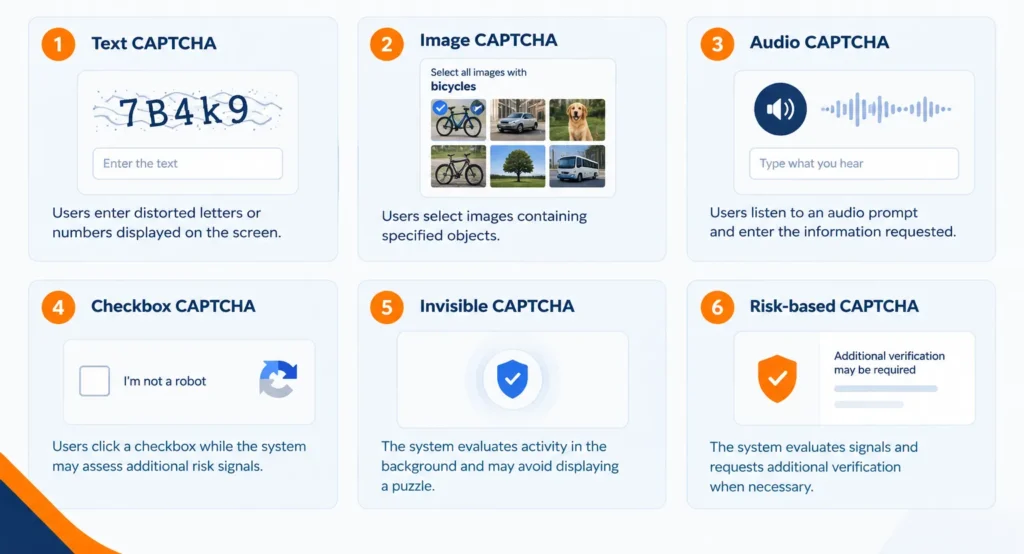
Different CAPTCHA methods offer different levels of convenience, accessibility, and protection.
| CAPTCHA type | How it works |
| Text CAPTCHA | Users enter distorted letters or numbers displayed on the screen. |
| Image CAPTCHA | Users select images containing specified objects. |
| Audio CAPTCHA | Users listen to an audio prompt and enter the information requested. |
| Checkbox CAPTCHA | Users click a checkbox while the system may assess additional risk signals. |
| Invisible CAPTCHA | The system evaluates activity in the background and may avoid displaying a puzzle. |
| Risk-based CAPTCHA | The system evaluates signals and requests additional verification when necessary. |
Traditional text and image challenges are familiar but can frustrate users, particularly those with accessibility needs. Invisible and risk-based systems can reduce interruptions, although their effectiveness depends on the provider and implementation.
Why Do Websites Use CAPTCHA?
CAPTCHA helps websites reduce automated activity that can damage services, overwhelm resources, or create fraudulent interactions.
Common use cases include:
- Spam prevention: Reducing automated submissions through contact forms, comment sections, and review systems.
- Fake account prevention: Making large-scale automated registration more difficult.
- Login protection: Adding friction to suspicious login attempts and credential-stuffing activity.
- Checkout protection: Helping limit certain forms of automated purchasing, card testing, and promotional abuse.
- Scraping mitigation: Making some forms of automated data collection more difficult.
- Resource protection: Reducing abusive requests that trigger costly operations, such as sending emails or processing files.
CAPTCHA is only one layer of protection. Websites may also use rate limiting, fraud detection, access controls, multifactor authentication, and web application firewalls.
It is also important to understand that CAPTCHA does not establish a visitor’s identity. A successful check does not prove that someone owns an account or is authorized to access private information.
What Is the Difference Between CAPTCHA and reCAPTCHA?
CAPTCHA is the general category of human-verification technology. reCAPTCHA is Google’s CAPTCHA service, while hCaptcha and Cloudflare Turnstile are alternative services.
| Feature | CAPTCHA | reCAPTCHA | Cloudflare Turnstile |
| Meaning | General category of verification systems | Google’s verification service | Cloudflare’s CAPTCHA alternative |
| Interaction | Depends on the implementation | Can involve puzzles, a checkbox, or background assessment | Often works in the background |
| Main purpose | Help identify suspicious automated activity | Help protect websites against bots | Verify visitors with minimal interruption |
| Verification | Depends on the provider | Supports server-side verification | Supports server-side verification |
The experience depends on the provider, product version, website configuration, and perceived risk. A visible puzzle is not required in every implementation.
Why Is My CAPTCHA Response Invalid?
An invalid CAPTCHA response means the website could not successfully verify the submitted response. It does not necessarily mean that you answered the challenge incorrectly.
Common causes include:
- Expired token: The response was submitted after the token’s validity period.
- Reused token: The website attempted to submit a token that had already been used.
- Browser interference: An extension or privacy setting prevented CAPTCHA scripts from working correctly.
- Network changes: Switching connections or using a VPN may affect how a website evaluates the request.
- Incomplete verification: The challenge did not finish successfully.
- Website configuration errors: The site may have incorrectly configured its CAPTCHA integration or server-side verification.
How to Fix CAPTCHA Response Errors
If a CAPTCHA keeps failing, try these steps:
- Refresh the page and complete the challenge again.
- Submit the form promptly after verification.
- Check your internet connection and avoid switching networks during the process.
- Ensure JavaScript and any required site functionality are enabled.
- Temporarily test whether a browser extension is interfering with the CAPTCHA.
- Try another browser if the problem persists.
- Contact the website’s support team if the error continues.
You generally do not need to disable your security protections permanently. If the problem comes from the website’s configuration, only its administrator may be able to resolve it.
Are CAPTCHA Challenges Completely Secure?
No. CAPTCHA can make automated abuse harder, but it is not a foolproof security measure. Some automated systems can solve certain challenges, while attackers may use human-solving services or other methods to get around them.
For this reason, website owners should verify response tokens on the server, respect token expiration, and combine CAPTCHA with appropriate security controls. Sensitive actions may also require authentication, multifactor verification, or additional fraud checks.
CAPTCHA should be treated as one part of a broader security strategy rather than a guarantee that every request comes from a genuine person.
Conclusion
A CAPTCHA challenge response is an important part of how websites verify visitors and reduce automated abuse. The challenge is the test or assessment, while the response is the answer or verification data generated during that process. Modern systems commonly use temporary response tokens that the website’s server checks before accepting a protected action.
Whether you encounter an image puzzle, a checkbox, or an invisible browser check, the underlying purpose remains similar: help websites distinguish legitimate activity from suspicious automation. When implemented correctly alongside other security measures, CAPTCHA can improve protection without creating unnecessary friction for users.
Read More: What Is an SSID? | Intrusion Detection Systems | How to Secure a WordPress Site
Frequently Asked Questions
It is the answer or verification result generated after a CAPTCHA check. A website can verify that result before allowing you to submit a form or perform another protected action.
A CAPTCHA response token is a temporary value generated during verification. The website’s server sends it to the CAPTCHA provider to confirm that the check is valid.
No. The challenge is the test presented to the visitor, while the response is the answer or verification information generated after the check.
Repeated challenges can result from unusual request patterns, shared IP addresses, VPN usage, browser settings, or other signals that make a visit appear suspicious. It does not automatically mean you are a bot.
No. CAPTCHA can reduce some automated abuse, but determined attackers may bypass certain challenges. Websites should combine CAPTCHA with rate limiting, authentication, fraud detection, and other appropriate security controls.