
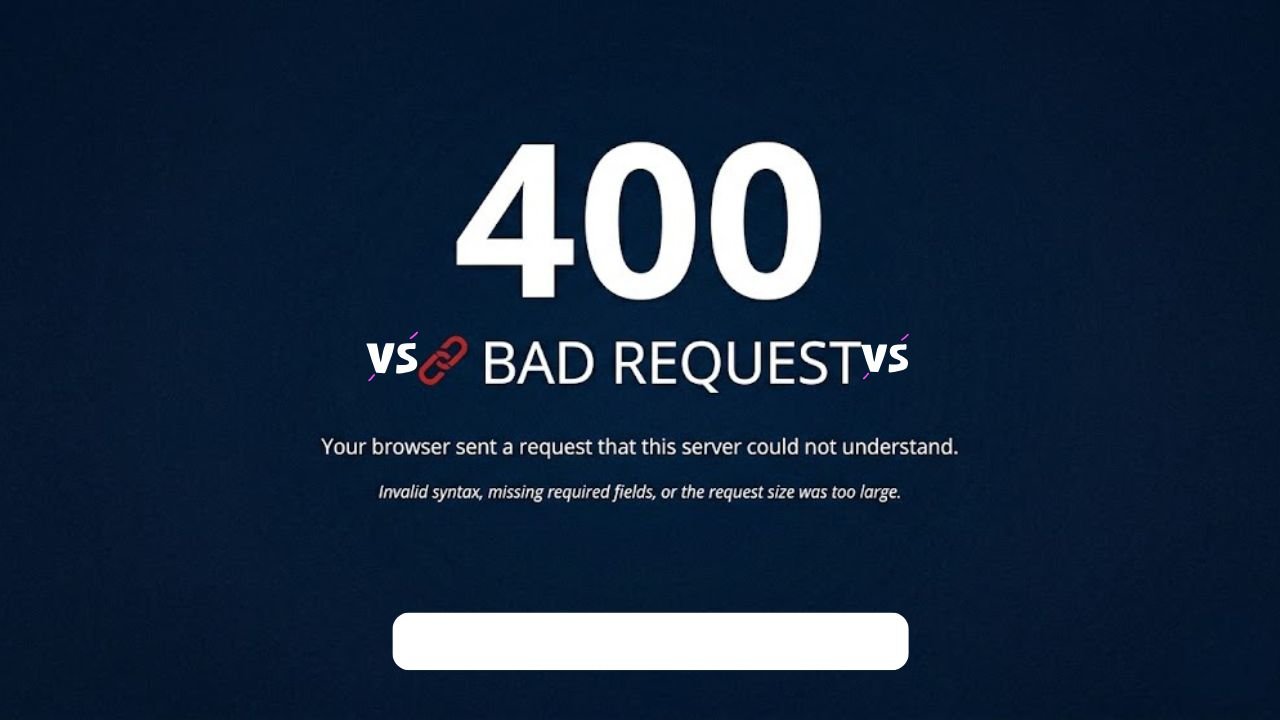
A webpage’s inability to load and display a technical message can easily disrupt your work. This problem is encountered by many users when surfing the web, filling out online forms, and uploading files online. The 400 Bad Request error can be found in such events, and it may seem to be complex, but in most cases, it may have a simple causes to it. In the majority of cases, the issue begins at the browser side instead of the server. That is, you can repair it with non-technical abilities. This paper defines the term, the causes, and the remedial measures in an orderly manner. It also discusses how using current tools can be used to overcome such problems and how you can avoid those problems in the long run.
What is a 400 Bad Request Error?
The 400 Bad Request error is revealed when your browser requests a server with a request that cannot be interpreted. Simply stated, the server accepts your request, but cannot process it because it is not formatted correctly or the data is invalid. This is normally a client-side error; the problem typically begins with your browser, computer, or network.
Additionally, the 400 Bad Request message lacks in-depth elaborations, therefore always seems confusing. But when you are familiar with the fundamentals, then it is easier to repair. E.g., Any wrong URL typed or uncompleted information sent out is rejected by the server instantly. This makes you see the 400 Bad Request on your screen.
Main Reasons Behind 400 Bad Request Issues in Browsers
Request failures can be triggered by different factors, and each of them impacts the flow of data between systems. The causes depend on factors, but those tend to be associated with minor technical anomalies. Thus, finding these causes will assist you in eliminating the problem more quickly and preventing it in the future.
1. URL Formatting Mistakes and Broken Links
Incorrect URLs often create problems because servers expect precise formatting. Entering the addresses manually, a simple mistake can ruin a request. The system can be confused by missing characters, extra symbols, or spaces in the link.
Also, copied links may have formatting problems that are not apparent. These obscure factors interfere with the request form. Consequently, the server is unable to decipher the request and sends out an error. Consequently, one of the most convenient and efficient ways is to check the URL.
2. Browser Cache and Cookie Conflicts
Browsers claim data like cookies and cache so as to enhance the speed of loading. This enhances user experience, but in the long run may cause problems. Old or rotten information can conflict with new requests. In the case of the browser transmitting this faulty data, the server does not respond properly to it.
As a result, the request is rejected. Erase the browser’s data to erase such conflicts and reestablish orderly communication. Periodical cleanout of browser storage helps to avoid mistakes and have a more comfortable run.
3. DNS Records and Network-Level Issues
DNS works to translate names of websites into IP addresses. This is done to assist your browser in connecting with the appropriate server. Nonetheless, the DNS information is stored on your device to accelerate subsequent requests.
Once this stored data is outdated, the browser can make the mistake of connecting to the incorrect server. Consequently, the request will be unsuccessful as the destination is not referred to the anticipated server. This problem is solved by updating DNS data, which increases the accuracy of the connection.
4. File Upload Restrictions and Size Limits
Most websites have restrictions on the files uploaded to control server space. In case a user attaches a file that is larger than this limit, the server refuses to accept the request. This denial is usually in the form of an error message. This is often caused by large images, videos, or documents. So, by reducing the size of the files or compressing them, those problems can be avoided.
5. Occasional Server Misconfiguration
Most request errors can start on the client side, although the configuration of the server may also play a part in some cases. Weak code writing or not setting server configurations can misunderstand legitimate requests.
When such a case occurs, users do not have an option of resolving the problem themselves. Rather, the developers need to inspect logs and make changes to the configuration. Nevertheless, the case does not happen as often as other reasons.
Step-by-Step Methods to Fix 400 Bad Request Quickly
A systematic process would help to fix request errors more easily. A stepwise method is used to solve a problem rather than testing any solution randomly to pinpoint the problem. Further, it saves time and effort for those involved and enhances the success rates.
The sections below detail the handling of basic checks, browser-related fixes, and server-side solutions. Every step will take the previous step and will provide a full troubleshooting avenue.
Preliminary Checks
Simple checks often solve the problem without technical steps.
- Start by reviewing the URL and correcting any visible errors.
- Then refresh the page to eliminate temporary glitches.
- Additionally, opening the same page in another browser or device helps confirm whether the issue exists locally.
- If the page loads elsewhere, the problem likely stays within your system.
These initial steps save time and provide direction for further troubleshooting.
Client-Side Solutions
If basic checks do not work, focus on browser and system fixes. Removing cookies and cache cleanses up the old data, which can obstruct requests. This has the potential to fix most request problems. Then, DNS cache flushing is done to make sure your system is connected to the right server. Turning off browser extensions is also effective as there are browser extensions that block or alter requests.
Consider the following quick actions:
- Clear browser data to remove corrupted files
- Flush DNS to refresh network records
- Disable extensions to avoid conflicts
- Compress files for smooth uploads
These solutions target common causes and improve browsing performance at the same time.
Server-Side Solutions
In cases where client-side remedies do not work, the problem can be on the server. The site owners are supposed to look at the server logs to determine the errors in requests. These logs indicate the information on unsuccessful requests and assist in searching for the precise reason.
In addition, by turning off plugins or changing theme engines, bad elements can be isolated. In case the problem continues, one has to make a call to the hosting company. Their support staff has access to more sophisticated tools and is able to fix more in-depth issues. Maintaining and monitoring servers is important in avoiding repeat mistakes.
How Elementor Improves Website Stability and Reduces Errors
A well-built website reduces the chances of facing errors like a 400 Bad Request. Here, tools such as Elementor come in handy. It assists in generating stable websites with optimized performance. Also, an organized design system will result in fewer mistakes in code. Consequently, your website will be more credible and easier to use.
Building a Stable and Reliable Website with Elementor
With Elementor, one is able to create websites without using complicated code. It produces clean and optimised output and this minimises the risk of request errors. In addition, it maintains consistency in your website structure. Such consistency can prevent problems such as malformed URLs that lead to a 400 Bad Request error. Consequently, a trustworthy builder will enhance the stability of the site.
Using Elementor’s Features to Minimize Errors
Elementor contains multiple functions, which make it less prone to errors. In the case of performance, responsive design and compatibility with the current standards of web are examples of things that it optimises. Besides, frequent updates eliminate bugs and enhance security. Consequently, your site will not crash as easily, and the chance of a 400 bad request error will be reduced. There is a contribution to keeping everything updated towards long-term performance.
Expert Tips to Prevent Website Request Errors Effectively
Preventing errors proves more effective than fixing them repeatedly. It is advisable to consider a proactive approach to managing the websites, according to experts. Clean code, updating regularly, and proper testing minimize the likelihood of failure in requests. Additionally, tracking systems aid in the early identification of problems.
This occurs at an early stage so that developers can fix the issues before it impacts users. A system that has its data organized, optimized, and up-to-date will be better performing. This results in a consistent user experience for the website owners.
Conclusion
The 400 Bad Request error can look perplexing, but in most cases, they are due to simple errors, like wrong URLs or old information. When you begin to know how browser requests operate, it becomes easy to correct the issue. Regular maintenance, appropriate data management, and quality tools are some measures that can be taken to avoid these problems in the future. A structured approach thus enhances user experience and performance of the website. By implementing these measures consistently, you will have less likelihood of experiencing another incident of a 400 Bad Request and enjoy an easier browsing experience across the platforms.
Read more Blogs: