
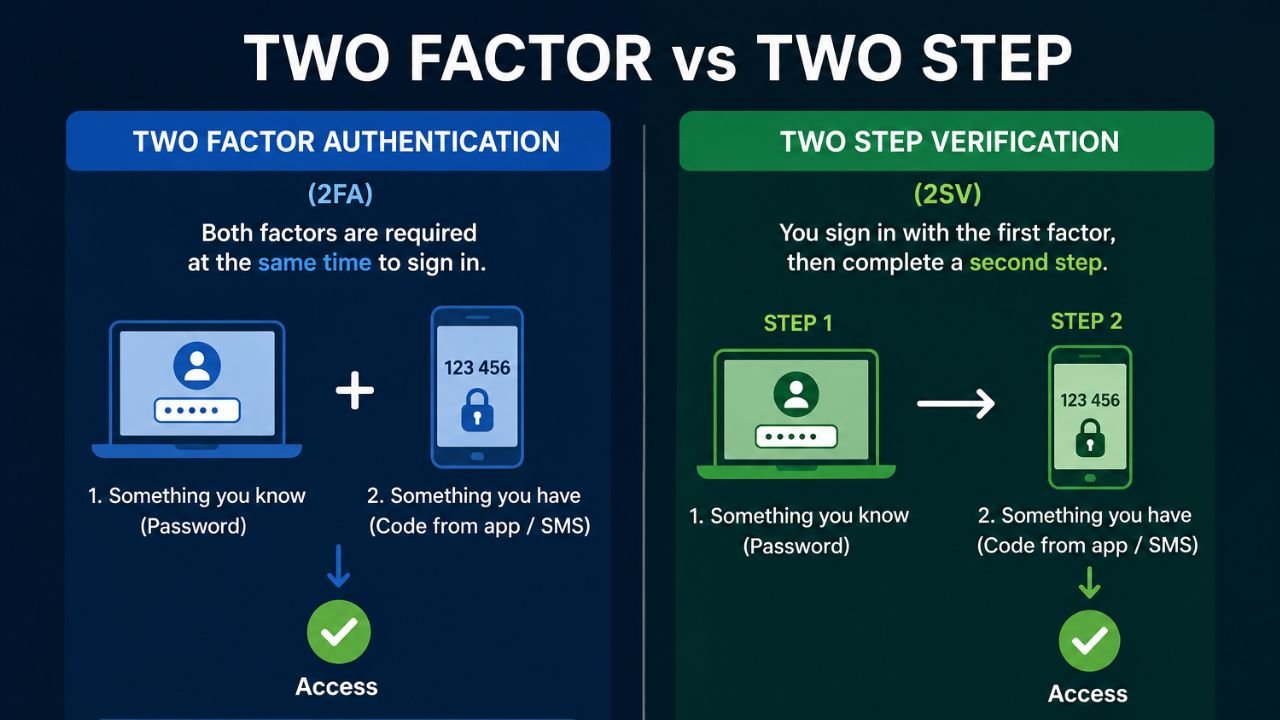
Most people see a login screen asking for a password and a code, then assume they are using the strongest security available. The truth of the matter is that not all additional steps in logging in will offer the same type of security. There it is that confusion sets in. There are numerous websites where the terms Two-Factor Authentication (2FA) and Two-step Verification (2SV) are used interchangeably, yet they are not identical. You are not the only one who has ever wondered what is two factor vs two step. It is easy to see how businesses, employees, students and everyday internet users find it difficult to maintain the distinction. Although the two tactics are safer than a passwords-only tactic, they operate differently and provide the couple with varying degrees of protection. Understanding how these systems operate can help you secure your email accounts, banking apps, social media profiles, and business platforms more effectively.
What is Two Factor Authentication
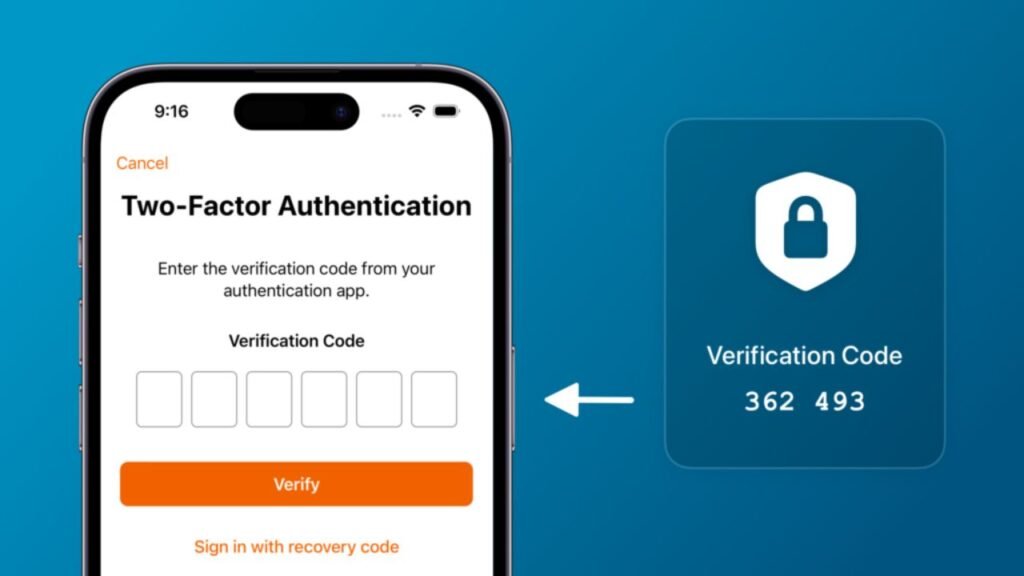
Two-Factor Authentication is a security feature that asks users to provide two different types of verification before accessing an account. Even if someone knows your password, they cannot log in without the second verification method.
What is Two Step Authentication
Two-Step Authentication is a login process where users complete two separate verification steps to prove their identity. It helps prevent unauthorized access by requiring an extra confirmation after entering a password.
What Is Two Factor vs Two Step? Understanding the Core Difference
The confusion usually comes from the names themselves. The two approaches need the user to complete a single action to access an account. This has led to mixed usage of the two terms in marketing literature by many companies, contrary to how security experts use them. When examining what is two factor vs two step, the key distinction lies in the words “factor” and “step.” A step refers to an action during login. A factor refers to a category of identity proof. Therefore, two-step verification focuses on how many actions a user performs, while two-factor authentication focuses on the type of credentials being used.
Imagine entering a password and then clicking a verification link sent to your email. You completed two actions; thus, it is two-step verification. Nevertheless, the two actions are eventually based on passwords, implying that they fall under the same authentication factor. Just think of typing a password and accepting a login alert on your mobile phone. You have then taken two factors in that instance. This configuration is what would be considered proper two-factor authentication.
Semantics and Factors: The Foundation of Authentication Security
Understanding authentication factors makes the entire discussion much easier. Every login system relies on evidence that proves your identity. Security experts generally divide that evidence into three categories.
The Three Main Authentication Factors
| Authentication Factor | What It Means | Example |
| Knowledge Factor | Something you know | Password, PIN |
| Possession Factor | Something you have | Smartphone, Security Key |
| Inherence Factor | Something you are | Fingerprint, Face ID |
When people ask what is two factor authentication, they are referring to a security method that combines two different factors from this table.
For example, a password represents something you know. A mobile device represents something you have. Combining those two creates a stronger security barrier because attackers need access to two completely different forms of verification.
This approach works well because stealing a password is often easier than stealing a password and a physical device at the same time.
Why Factors Matter More Than Extra Steps
Some login systems ask users for multiple pieces of information. While that may feel secure, repeating the same type of factor does not create true two-factor authentication.
Consider these examples:
- Password + Password Hint
- Password + Security Question
- Password + Recovery Password
Each example requires multiple actions, yet all depend on knowledge-based information. As a result, they add steps but not new factors.
Two-Factor Authentication vs. Two-Step Verification in Real Situations
The easiest way to understand the difference is by making comparisons with real-life experience of logins. Most users are exposed to both systems on a regular basis without thinking about the mechanics behind them. It is easy to see the difference when you have an idea of what to search for.
| Login Method | Two-Step Verification | Two-Factor Authentication |
| Password + Email Link | Yes | No |
| Password + Security Question | Yes | No |
| Password + SMS Code | Yes | Yes |
| Password + Authenticator App | Yes | Yes |
| Password + Fingerprint | Yes | Yes |
The table highlights an important point. Every two-factor authentication process also includes multiple steps. However, not every two-step verification process qualifies as two-factor authentication. That is why security professionals generally recommend focusing on factors rather than counting steps.
A Practical Example
Imagine that you have been hacked and a phishing attacker has gained access to your email password. An attacker can still access your account when your account is configured with password verification and email verification only. Just imagine the same account must have a code on your phone created with an authenticator app. Your physical device would also be required by the attacker. The additional feature is drastically higher security.
A Security Expert’s View on 2FA vs Two-Step Verification
Security teams rarely focus on the number of login screens users see. Instead, they focus on the variety of authentication factors protecting an account. A system that integrates a password and a smartphone approval request in most of the cases provides a much better protection than a system that needs multiple passwords. It is on this basis that cybersecurity experts have advised that you should use a real two-factor authentication where feasible.
The second misunderstanding is that the higher the number of steps during verification, the greater the security is. In real life, passwords are frequently the point of attack by the attacker since it is the most vulnerable aspect of most systems of logging in. As such, adding a second authentication factor would result in a significant checkpoint against unauthorized persons penetrating.
- Read Related Blogs: What Is a Sandbox in Cybersecurity?
Real-World Examples of Two-Step Verification You Already Use
Many websites still use verification methods that technically qualify as two-step verification but not genuine two-factor authentication. A common example involves a password followed by an email confirmation link. Users often assume this setup provides advanced protection because it involves two actions. Yet the system still relies on credentials tied to passwords. The same issue appears with password recovery questions. Although users answer an additional question, they still provide information from the same category of authentication.
When Two-Step Verification Is Useful for Everyday Accounts
Two-step verification still improves security compared to a password-only login. It adds friction for attackers and helps prevent some automated attacks. Many smaller websites use it because it is easy to implement and familiar to users. For low-risk accounts, it may provide sufficient protection. However, once sensitive information enters the picture, stronger authentication becomes more valuable.
Real Examples of Two-Factor Authentication That Provide Stronger Protection
True two-factor authentication introduces a second layer that attackers cannot easily replicate. A popular example involves a password and a mobile authenticator application. The password verifies knowledge, while the phone verifies possession.
This combination forces attackers to overcome two different security barriers.
Common Forms of 2FA
| First Factor | Second Factor |
| Password | Authenticator App |
| Password | Security Key |
| Password | Fingerprint |
| Password | Face Recognition |
| PIN | Smartphone Approval |
A banking application provides a good real-life example. Many banks require a password and a one-time code generated by a trusted device. Even if someone steals the password, they cannot access the account without the second factor. This added protection explains why financial institutions increasingly rely on 2FA.
What Is Two-Factor Authentication and Why Businesses Trust It
Businesses face different security challenges than individual users. They deal with the accounts of employees, client data, and financial information, as well as confidential reports. Therefore, they require more powerful authentication protocols. In applying this concept to what two-factor authentication means, the professionals in the field usually think of minimizing risks, as opposed to convenience.
One of the most frequent reasons behind the accounts being breached is the usage of a stolen password. More often than not, employees use the same password on several services, putting them at risk of exposure whenever a service experiences a data leak. Two-factor authentication mitigates that risk since the passwords cease to provide access only.
Industries That Commonly Require 2FA
| Industry | Reason for Using 2FA |
| Healthcare | Protect patient records |
| Banking | Prevent financial fraud |
| Education | Secure student data |
| Government | Protect sensitive information |
| Technology | Protect intellectual property |
Organizations that handle confidential information increasingly require 2FA for both employees and customers.
How to Use Google Authenticator for Safer and Faster Logins
Many users searching for ” How to use Google Authenticator” want a simple solution that strengthens account protection without creating extra complexity. Google Authenticator remains one of the most widely used authenticator applications because it is free, reliable, and easy to configure.
Setting Up Google Authenticator
The setup process usually takes only a few minutes. First, install Google Authenticator from your device’s application store. Then open the security settings of the account you want to protect.
Most websites display a QR code during setup. Scan that code with the authenticator app. The application immediately creates a time-based verification code for that account. Enter the code on the website, and the setup is complete.
Why Authenticator Apps Have Become Popular
Many security experts prefer authenticator apps over SMS verification because they reduce certain risks.
Benefits include:
- Faster verification
- Offline functionality
- Reduced SIM-swapping risk
- Broad compatibility
- Improved account protection
Why Two-Step Verification May Not Be Enough for Sensitive Accounts
Some people assume any extra verification step solves all security concerns. Unfortunately, security does not work that way. The effectiveness of authentication depends on the quality of the factors involved. Adding multiple knowledge-based checks still leaves accounts vulnerable to credential theft. For example, using three different passwords creates more steps, yet attackers who obtain those passwords can still bypass the entire process.
Accounts That Deserve Stronger Protection
Email accounts deserve special attention because they often act as recovery hubs for other services. When the person has access to your email, he or she may easily reset passwords on other sites.
Likewise, two-factor authentication is very advantageous to banking platforms, business applications, cloud storage providers and social media profiles. A more secure environment can increase the time (several seconds) spent on recording, but a few seconds can save a much bigger issue in the future.
Which Accounts Should Always Use Two-Factor Authentication?
Some accounts contain far more valuable information than others. Consequently, they deserve stronger authentication measures. Email accounts, banking applications, cloud storage platforms, business software, and social media profiles often store sensitive data that attackers actively target.
| Account Type | Recommended Security Level |
| Email Accounts | 2FA Required |
| Banking Apps | 2FA + Authenticator App |
| Cloud Storage | 2FA Required |
| Social Media | 2FA Recommended |
| Business Platforms | 2FA + Security Key |
This approach reduces the likelihood of unauthorized access and helps protect personal information from common attack methods.
How Security Professionals Evaluate Authentication Methods
When security professionals evaluate authentication systems, they focus on the authentication factors rather than the number of login screens. A process qualifies as two-factor authentication whenever it combines two distinct categories of identity verification. The specific technology matters less than the underlying factors. For instance, a security key and a fingerprint scanner operate differently, yet both can serve as valid second factors.
This distinction helps explain why discussions about what is two factor vs two step continue to appear in cybersecurity conversations. The terminology may sound similar, but the security outcomes differ. The strongest systems create barriers that attackers cannot easily bypass through password theft alone.
Why Enabling 2FA Is One of the Simplest Security Upgrades
Many users spend considerable time creating stronger passwords. However, they do not take advantage of security services that are already implemented on their accounts. 2FA often only requires five minutes to enable. The security earned usually countermeasures the minimal effort in the process of logging in.
Two-factor authentication is among the easiest ways to enhance your security, and most email providers, banking apps, cloud storage options, and even business software have this feature available. There is a minimum technical expertise required in the process. Simultaneously, it substantially minimizes the possibilities of unauthorized access.
Authentication Trends That Are Shaping Account Security in 2026
The technology used in authentication keeps developing due to advancements in cyber threats. Many organizations are no longer using traditional passwords and are starting to use more robust identity checks.
Some of the biggest security trends in 2026 include:
- Passkeys replacing traditional passwords
- Biometric authentication becoming more common
- Hardware security keys gaining popularity
- Passwordless authentication systems
- AI-driven threat detection during login attempts
These advancements demonstrate how account service security is shifting towards more formidable, user-friendly authentication protocols coupled with less dependence on passwords only.
Final Thought
Understanding what is two factor vs two step helps you evaluate account security more accurately. Two-step verification has an added level of protection and this definitely enhances security compared to a password. Nevertheless, real two-factor authentication goes beyond that as it involves a combination of various authentication aspects rather than the application of similar types of credentials. In case you wish to have protection of more power, you can prioritize having 2FA enabled wherever it is possible and learn how to use Google Authenticator for accounts that have authenticator apps. Minutes taken in setting up an appropriate authentication this week can save hours of frustration and risk down the road.
FAQs
Yes. Two-factor authentication uses different authentication factors, which generally provides stronger protection.
Yes. It offers more protection than a password-only login, although it may not be as strong as 2FA.
It is a login method that requires two different types of identity verification before granting access.
You can scan a separate QR code for each account and manage all verification codes within the same app.
No. Some websites only provide two-step verification, while others offer multiple authentication options.
Yes, when combined with a password because it introduces a possession factor through your phone.
Yes. Social media accounts often contain personal information that attackers may target.
- Read Related Blogs: Proxy vs VPN Differences, Security, and Real Use Cases