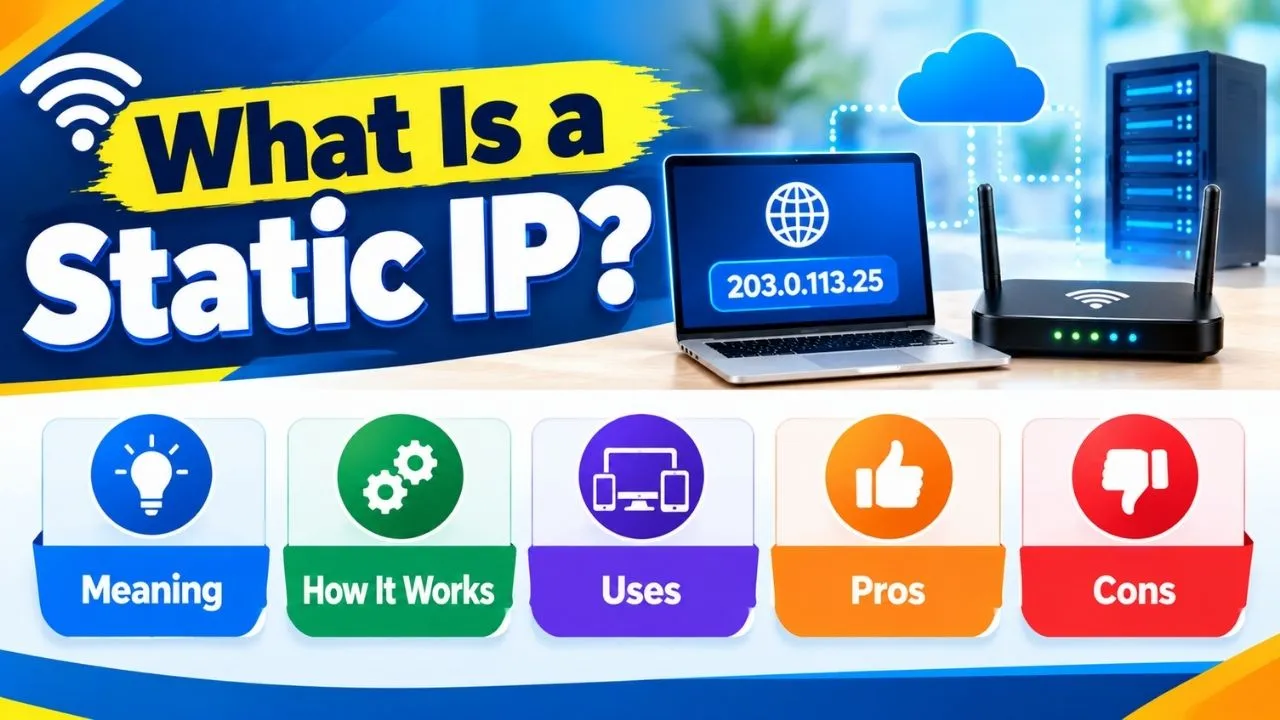

Your IP address serves as a house address for your device on the internet. Each packet that crosses a network has to know where to go and with your IP, you can accomplish this. What is a static IP is a question of importance when the moment comes that you are going to host a server, a remote access server or simply have several devices connected to a network. In contrast to a dynamic IP, which changes every now and then, a fixed IP remains in place. It assigns a stable, permanent identity to your device on the network, and that stability can solve more problems than most individuals would anticipate.
Knowledge of the distinction between dynamic and static IPs makes you wiser with regard to how you set up your network. Be it a small business, a home server or when you just want to have more control over the connection, understanding how bringing in the use of static IPs works will place you in a better position to get things set up the first time around.
Who Actually Needs a Static IP Address?
Not every internet user needs a static IP address. As a matter of fact, the majority can go online and view, watch videos, participate in virtual meetings, and even play games without realizing what kind of IP address they are utilizing. Nevertheless, it is frequently desirable to have a fixed IP address when managing remote workers, servers, and even people who operate smart devices, since they have consistent access and can easily manage the networks.
| User Type | Static IP Needed? |
| Web Browsing | No |
| Streaming Services | No |
| Online Gaming | Usually No |
| Remote VPN Access | Yes |
| Security Cameras | Yes |
| Web Hosting | Yes |
| Business Servers | Yes |
What Is a Static IP Address and How Does It Work?
A static IP address is a fixed network address that never changes automatically. After being specified by your ISP or by hand, it will remain constant each time your device goes online. It is not rotated, refreshed or re-assigned by the network.
IP address is required to send and receive data on every device in a network. Imagine a mail address without an address, data packets would not know where to go. A fixed IP provides your device with a fixed, unchanging address on that network.
IP addresses come in two formats:
| Format | Bit Structure | Example |
| IPv4 | 32-bit numeric | 192.168.1.1 |
| IPv6 | 128-bit alphanumeric | 2001:0db8:85a3::0370:7334 |
Both IPv4 and IPv6 enable static addressing. Even at the present time, IPv4 is still in use; however, IPv6 was designed to support the increasing number of internet-connected devices. In any case, a static IP operates identically; any value that it has unless you actively alter it.
The IP addresses further fall into two categories; that is, the public and the private ones. What the outside internet perceives is what is given to you by your ISP, your public IP. Devices within your home or office network use your private IP. Both can be addressed in a static manner and the configuration process is different based on which of the two you would like to lock down.
Why You Would Use a Static IP Address
The core reason anyone uses a static IP comes down to consistency. By not changing your IP address, the other systems will always be able to find your device without trial and error. This is quite important in business and in the home.
The following is an actual real-life example. A small agency enables staff to work at home. Client files and project data are stored on their internal server. To enhance security, the IT team will set up the server to accept only those connections with particular IP addresses. Each remote worker must have a fixed IP address in order to be identified by the server upon his/her login. In its absence, the connection is lost each time their IP rotates, leading to frustrations and security loopholes every day.
Common use cases where a static IP genuinely helps:
- Remote access over VPN: Enterprises only allow access to well-known IP addresses, making employees who have static IP addresses to connect successfully.
- Web and game server hosting: A fixed address means that your users can always connect with your server and not be disconnected.
- Home network device management: NAS drive, printers, smart hubs, etc. It is better to use a fixed local address to manage these devices.
- IoT devices, security cameras: Static IPs allow viewing the video feed of a camera or smart home device across sessions without needing to find a new address.
- DNS record management: A consistent IP means your domain always points to the right destination without frequent record updates.
Static IP vs Dynamic IP — Key Differences Explained
The difference between static and dynamic IPs is straightforward. In a dynamic IP address, all your ISP does is assign you a new IP address through the Dynamic Host Configuration Protocol. Linking your router makes it request an IP address, which is automatically assigned by DHCP to it through a pool of available IP addresses.
Rather, during the time that the dial-up internet was being developed, IPs were dynamic, such that each separate session had a new IP. The majority of routers are currently continuously online, so dynamic IPs might go unutilized for months. It might not change until the router is rebooted again or a maintenance done to it by the ISP, once or twice a year.
| Feature | Static IP | Dynamic IP |
| Changes automatically | No | Yes |
| Requires manual setup | Yes | No |
| Extra cost from ISP | Often yes | Usually no |
| Best suited for | Hosting, servers, remote access | Browsing, streaming, gaming |
| Firewall rule precision | High | Lower |
| Network management ease | Easier | Harder to track |
Dynamic IPs can cope with routine activities exquisitely. Streaming, browsing and gaming online do not have a fixed address. However, a dynamic IP causes troubles that are eradicated with a static IP when other devices or users need to locate your device regularly and consistently.
Common Myths About Static IP Addresses
Many users assume a static IP automatically improves internet performance, but several misconceptions surround the topic.
Myth 1: A Static IP Makes Internet Faster
A fixed IP is not associated with increased internet speed. The speed of your connection is based on bandwidth, the quality of the network, as well as your internet service provider and not on the type of IP address you are allocated.
Myth 2: Every Gamer Needs a Static IP
The majority of online games operate well with dynamic IP addresses. Gamers with private servers or those having elaborate networking systems might as well enjoy a fixed IP.
Myth 3: Static IPs Are Automatically More Secure
A fixed IP can assist blockers develop more exact firewalling rules, yet security simply relies on the system setups, program upgrades and security controls.
Advantages of a Static IP Address for Businesses and Home Users
Static IPs come with practical benefits that go beyond just stability. For anyone managing a network, hosting services, or working remotely, these advantages make a real difference.
1. Reliable remote access
Security cameras, remote desktop programs, connection through VPN, all of them require being able to know where to connect. By using a fixed IP, the tools will always target the correct device without the requirement of changes, should the IP change.
2. Stable server hosting
Regardless of whether you are operating a personal website, a business application or a gaming server, users require a common address where they can access you. A fixed IP eliminates the chance of your server going down simply because the IP address has changed.
3. Cleaner DNS management
Having a constant IP, you set up DNS entries once and they remain true forever. Dynamic IPs can change the addresses and they have to propagate and this would result in downtime due to the delay of propagation.
4. Simpler network management
Labeling all the devices in an office network with fixed IPs will ensure that your team is sure to know what IP is on which machine. Troubleshooting is more focused and quicker.
5. More precise firewall control
With a known address that is not changing, security teams can construct access control regulations. It becomes much easier to whitelist a range of IPs, block suspicious ranges, and track traffic.
Disadvantages of a Static IP Address Worth Considering
Static IPs aren’t the right fit for every situation. There are genuine trade-offs to weigh before committing to one.
1. Additional monthly cost
The majority of ISPs will charge additional amount to secure a static public address. As not all users are given a dynamic IP at any given time, and even those who get one address are not allowed to share it, the providers charge this charge to clients. This additional cost does not easily pay off to those who are home users and only browse and stream.
2. Slightly higher exposure to targeted attacks
An address that remains constant is more convenient to probe. When somebody gets to know about your fixed IP, then they can continue to test it on the vulnerabilities because it does not change. With that said dynamic IPs change so rarely now that the difference in risk would be insignificant in practice to most users.
3. Limited IPv4 address availability
IPv4 addresses are a finite resource. Having a static IP, after assignment, no one can use it until the user releases it. That puts strain on ISPs who deal with big networks, and it is one of the major causes that make IPv6 implementation on the rise.
How to Configure a Static IP Address on Windows, macOS, Routers, and Business Networks
Setting up a static IP is easier than most people expect. Depending on the device and the operating system, the process may slightly differ; however, the key steps can also be broadly similar. The use of private static IPs is in your local. Publicstatic: IPs This means that the public static IPs involve direct contact with the ISP.
Private Static IP Configuration on Windows
Windows allows you to assign a static IP directly through network adapter settings without any third-party software.
- Open Control Panel and navigate to Network and Sharing Center
- Click Change adapter settings on the left panel
- Right-click your active connection, Wi-Fi or Ethernet and select Properties
- Highlight Internet Protocol Version 4 (TCP/IPv4) and click Properties
- Select Use the following IP address
- Enter your preferred IP address, subnet mask, and default gateway. These values come from your router settings
- Click OK to save and apply
Your device now connects to the local network using that fixed address every single time.
Private Static IP Configuration on macOS
macOS handles this through System Settings with a clean, simple interface.
- Click the Apple menu and open System Settings older versions use System Preferences
- Go to Network and select your active connection
- Click Details next to the connection name
- Under the TCP/IP tab, change Configure IPv4 from Using DHCP to Manually
- Enter your preferred static IP address, subnet mask, and router address
- Click OK then Apply to confirm
Private Static IP Setup Through Your Router
Configuring a static IP at the router level is often the cleanest method. The router reserves a specific address for a device based on its MAC address so the device itself needs no manual configuration at all.
- Open a browser and type your router’s IP address into the address bar
- Log in using your admin username and password
- Find DHCP Settings or LAN Setup in the menu
- Locate the option to reserve or assign an IP to a specific device
- Enter the device’s MAC address and your preferred IP
- Save the settings and restart the router if the system prompts you
Public Static IP: Getting One From Your ISP
Getting a public static IP requires contacting your ISP directly. Their customer care team gives the address to your profile and based on your plan; this could cost an additional fee monthly. Most business internet plans contain at least a few of the following features: statical IPs: most business internet plans come with statical IPs.
There are VPN vendors that use alternative routes such as providing dedicated static IP addresses. That gives a stable public IP using the VPN without approaching your ISP to renew. It is an ideal alternative to remote employees and small business owners seeking a clean and consistent public address in the quickest possible time.
How to Protect Your Static or Dynamic IP Address Online
Knowing what is a static IP useful, but protecting that IP matters just as much. VPN hides your actual IP address from websites, servers, and other parties. They do not view your actual address, but the IP of the VPN server. This is valid for fixed and dynamic IPs. A static IP is especially advantageous when using VPN cover since it remains constant and can be traced. When not masked, a fixed IP can be used to monitor browsing behavior, play targeted advertisements, or launch a DDoS attack against a known fixed target.
A good VPN encrypts your traffic using an algorithm. Your ISP will not be able to spy on your actions. And websites cannot keep a record of your actual address. Any attacker who targets your IP addresses does not target your device, but it targets your VPN server. It is also available with some VPN providers who have dedicated (static) IP addresses; they give you a fixed IP address that is used with the VPN. It is a mix of a fixed IP and complete protection of privacy. It allows you to circumvent CAPTCHAs, circumvent blocklists, and have a clean IP reputation without subjecting your actual address, as assigned by your ISP, to the open internet.
Should You Choose a Static or Dynamic IP?
This is the right decision that will depend on the manner in which you utilize your internet connection.
- Select a fixed IP in case of hosting websites, operating servers, maintaining remote access, and keeping track of security cameras.
- Select a dynamic IP when most of your activities include browsing the web, watching media, using social media, and playing online games.
- A static IP is generally not necessary for most residential users and can also be advantageous to a business due to its predictability and stability.
Conclusion
What is a static IP ultimately comes down to permanence and control. A static IP address ensures that your device is available on the same address each time, and thus no surprises, no reconfiguration, and survival without the shifting address. The consistency of a fixed IP address is truly worthy of the cost to companies that operate remote access networks, hosting, applications, or utilize IoT infrastructure. A dynamic IP would do all this at no additional cost or configuration when the user is a home user who does not need extra functionality beyond browsing and streaming. How much you shouldn’t think too hard, the correct decision is what you are running and what consistency would make of your particular workflow. When you work with a device and need reliable, uninterrupted access, and have always found that annoying, a static IP eliminates it forever.
FAQs
It’s a fixed IP address that stays the same every time your device connects it never changes automatically.
Most home users don’t have a dynamic IP, which handles browsing, streaming, and gaming without any issues.
Costs vary by ISP, but most charge a small additional monthly fee on top of your existing internet plan.
Yes, you can assign a private static IP through your device settings or router without involving your ISP.
It offers better firewall control but is slightly easier to target since the address never rotates.
Yes, certain VPN providers offer dedicated static IP addresses assigned exclusively to one user.
Read More Blog:- IPv5 Explained: The Missing Link in Internet Protocol